JD / 05 — Review the team roster
Team roster handoff: names, numbers and versions before production
One design can have many variations. Connect every garment to its exact text, number, size and version so personalisation can be checked before production.
A team roster should identify what goes on each garment and which version is being reviewed. This guide offers a simple record for preparing your studio conversation. If the overall design is still open, start with the jersey design brief. The roster and change-record tables are blank templates to copy into your own document or chat draft; they are not website forms.
1. Use one row for each garment and variation
Give each row an identifier that stays the same when you sort the list. Separate home shirts, away shirts, shorts and other garments when they need different sizes or personalisation. You can state a quantity for identical units; use another row when the name, number, size or design changes. Do not use a player number as the only identifier.
Include the sport and competition reference when relevant. A league name explains context; it does not establish authorisation, rule compliance or an official relationship. For competition use, share the organiser’s current requirements before finalising the design.
2. Write exactly what should be printed
- Separate your internal identifier from the visible text: surname, short name or chosen wording. Do not infer one from the other.
- Check capitals, accents, spaces, hyphens and punctuation. Write “no print” when no name or number is wanted; use “pending” for an unresolved choice.
- Treat numbers as text so intentional leading zeroes or a double zero are preserved. These are formatting examples, not a statement of which competition numbers are permitted.
- Check repeated numbers within the relevant version. A repeat needs clarification rather than automatic correction: it may represent another garment, a spare or a team decision.
In its 2026 team roster tutorial, ONE O SPORTS shows duplicate-number warnings and a review of entries before confirmation. We read the automatic captions. This is a commercial demonstration, not a test of its sizing system or a competition rule.
3. Tie the size to the correct garment
Record the model or cut and the size-chart version beside each choice. The same letter does not establish the same measurement across models, youth and adult ranges or different garments. Confirm shirt and shorts sizes separately when ordering a set. Identify garments intended to be worn over protective equipment so fit can be discussed during sampling.
In the 2022 Transfer Express baseball example, the presenter starts with a list connecting names, numbers and sizes. We read the channel’s supplied captions. Its dimensions, products, prices and pressing settings are not adopted here.
4. Add the questions relevant to your sport
This matrix helps identify variations; it does not prescribe a uniform. Mark items “not applicable” when appropriate and request the current rules when competition compliance matters.
| Sport | Variation to identify | Question to confirm |
|---|---|---|
| Football / soccer | Outfield shirt, goalkeeper shirt and shorts | Which garments and sides need a name or number? |
| Basketball | Jersey, shorts and reversible garment | Do both sides need different graphics and separate proofs? |
| American football | Body, shoulders, sleeves and fit over pads | Which positions and cut should be checked on the sample? |
| Ice hockey | Skater or goalie; nameplate if present | Which size, nameplate and captain mark have been requested? |
| Baseball | Button front, back and pants | Does the artwork cross the opening and need a specific review? |
5. Check exceptions in the artwork proof
A proof with a short name does not automatically resolve a long surname, another script, a two-digit number or a small size. Ask to see relevant variations at their intended dimensions using the correct file. For Arabic names or other scripts, review reading order and letter shapes in the exported proof, and retain the original text.
Connect each exception to its row and proof revision. Distinguish the front, back, sleeve and inside face of a reversible garment. Do not shrink or stretch a name without confirming its effect on the design. Use the artwork and placement guide to record dimensions and garment reference points.
The 2015 Stahls demonstration discusses space within seams and a reversible basketball jersey. Its automatic captions help identify those questions; they are not a current specification or a material or durability guarantee.
6. Copy a roster and a change record
Head your document with the project, sport, version, date and person confirming it. The size field should identify the model and chart used. These rows are blank: extend them in your own document for the garments required and retain the row identifiers.
| Row ID / garment | Exact text and number | Size / chart | Quantity / variation | Proof / status |
|---|---|---|---|---|
| — | — | — | — | — |
| — | — | — | — | — |
When changing a decision, record the old and new values instead of sending only “change this”. Identify the file that replaces the previous one and ask for receipt to be confirmed. Avoid two files both called “final”. A date on a roster is not itself approval to produce.
| Row / revision | Requested change | Status and confirmation |
|---|---|---|
| — | — | — |
| — | — | — |
7. Finish a complete review before the next step
- Check that quantities by model, size and version match the requested total, and label spare units explicitly.
- Review the roster together with the artwork proofs. Separate confirmed details from open questions and choose one contact to consolidate changes.
- After approval, check the work’s status before assuming a change can still be included. Its cost and schedule need to be confirmed separately.
- Share only the information needed to identify and personalise the garments. Phone numbers, birthdays and unrelated personal details are unnecessary.
Prepare this roster for a conversation about design and production or sampling. Before accepting the physical sample, compare it with the sample review checklist. Once your files are organised, use the contact page to open WhatsApp or Telegram and complete the message yourself.
8. Sources and scope
Original roster and tables by Jerseys Deliver. Alongside the examples cited above, we read Stahls’ automatic captions about importing a list of names (2017) and saving name-number pairs for review (2020). The first video concerns a printed group list rather than an individual garment. Four references belong to the Stahls/Transfer Express commercial ecosystem; they are not four independent verifications.
Research reviewed on 30 September 2026. Automatic captions can contain errors. We have not tested those programs or measured production results from the videos. These questions do not set minimum quantities, universal measurements, league rules, prices or lead times. The handoff format and project terms are agreed separately.
GUANGZHOU / JERSEYS DELIVER
Give your project a direction.
Share your references and the decisions still open. We start by understanding your design and the scope of the project.
Jerseys Deliver / Studio notes
Keep your project moving
Prepare the design
How to prepare a custom jersey brief
A practical checklist to organise design decisions and review your sample before the next step.
Read the guideReview the sample
How to review your first custom jersey sample
Turn first impressions into a clear record of measurements, decisions and changes.
Read the guideOrganise the enquiry
What to prepare for a custom jersey quote
Organise quantities, sizes and colourways so the project scope is clear from the first enquiry.
Read the guide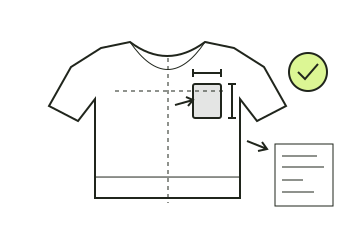
Prepare the artwork
Preparing jersey artwork and confirming print placement
A mockup starts the conversation. Give every badge, name and number a file version, a physical size and a position that can be checked on the jersey.
Read the guide